

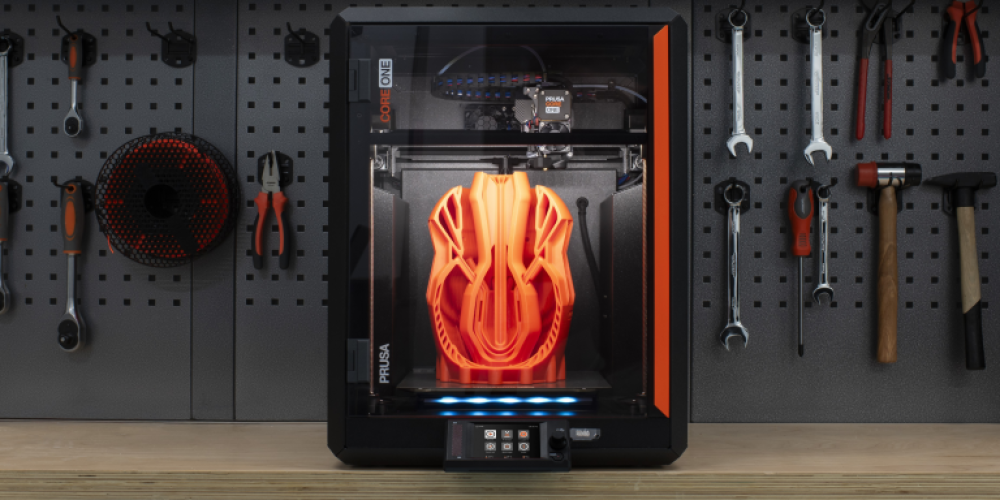
Description
The Prusa Core One is a 3-D printer which takes a digital file and prints a three dimensional object out of PLA filament. The Core One has a maximum build volume of 9.8" x 8.6" x 10.6" (250 mm x 220 mm x 270mm), a 0.4 mm brass nozzle and a layer resolution range of 0.05 mm - 0.3 mm.
Reservation time: 2 hours
Requirements
We provide
- Safety training
- Filament
- A laptop with internet access and Prusa Slicer installed
You must bring
- A file ready to print
Required Forms and Tutorials
Before you use the Prusa Core One 3-D printer for the first time, you must complete:
- A Makerspace Registration Packet
- The online Makerspace Safety Orientation
- The online 3D Printer Safety Training
Software and File Creation
Free files to print are available at Thingiverse, Printables, and Makerworld.
To create your own files to 3-D print, any program which creates in .STL format will work. Options include:
To print an .STL file we need to use a slicing program, which converts the 3-D model into instructions for the 3-D Printer (gcode). For this machine we use PrusaSlicer. This program is available to use in the Makerspace, but we recommend that you test out the slicer on your design first at home to get an estimate of the size and resolution you will be able to print in. The more you prepare in advance the more print time you have for your appointment.
Acceptable Materials
The Makerspace has PLA in a variety of colors. We can’t guarantee stock of a specific color. If you would like to use your own PLA filament email hpl.makerspace@hayward-ca.gov after placing your online reservation request, and we will review your request.