

Image
How Do I Make a Reservation?
Reservations can be made at the Digital Media Lab reservation page.
When Will It Be Open?
Fridays from 2:30-4:30 P.M.
Check the library calendar for up-to-date open hours and closures.
What is available to use?
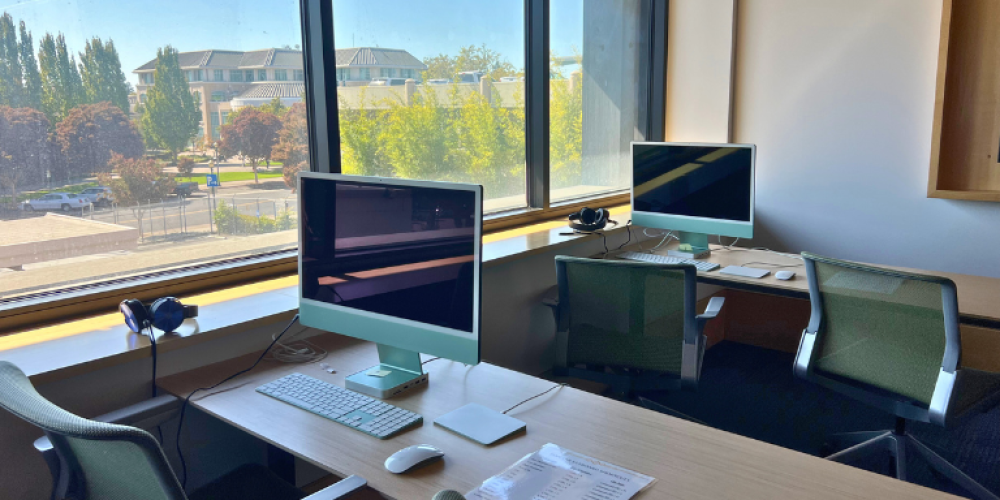
The Digital Media Lab has four iMac computers fully loaded with the Adobe Creative Cloud suite. This includes: Photoshop, Premiere Pro, Illustrator, Lightroom, InDesign, After Effects, Audition, Animate, and Character Animator.
The Digital Media Lab uses a special kind of Adobe License called a Feature Restricted License. Some tutorials and generative AI features are not available.
Where Is It?
The Digital Media Lab is at the Downtown Library on the 2nd floor.
How Old Do I Have to Be?
- If you're over 18, you just need to fill out the registration form.
- If you're over 13 but under 18, you must have your registration form completed by an adult guardian.
What Do I Need to Do Ahead of Time?
Before your first appointment you must complete:
What Should I Bring?
- A project idea to work on.
- A storage method for your project such as a USB drive or external hard drive.